
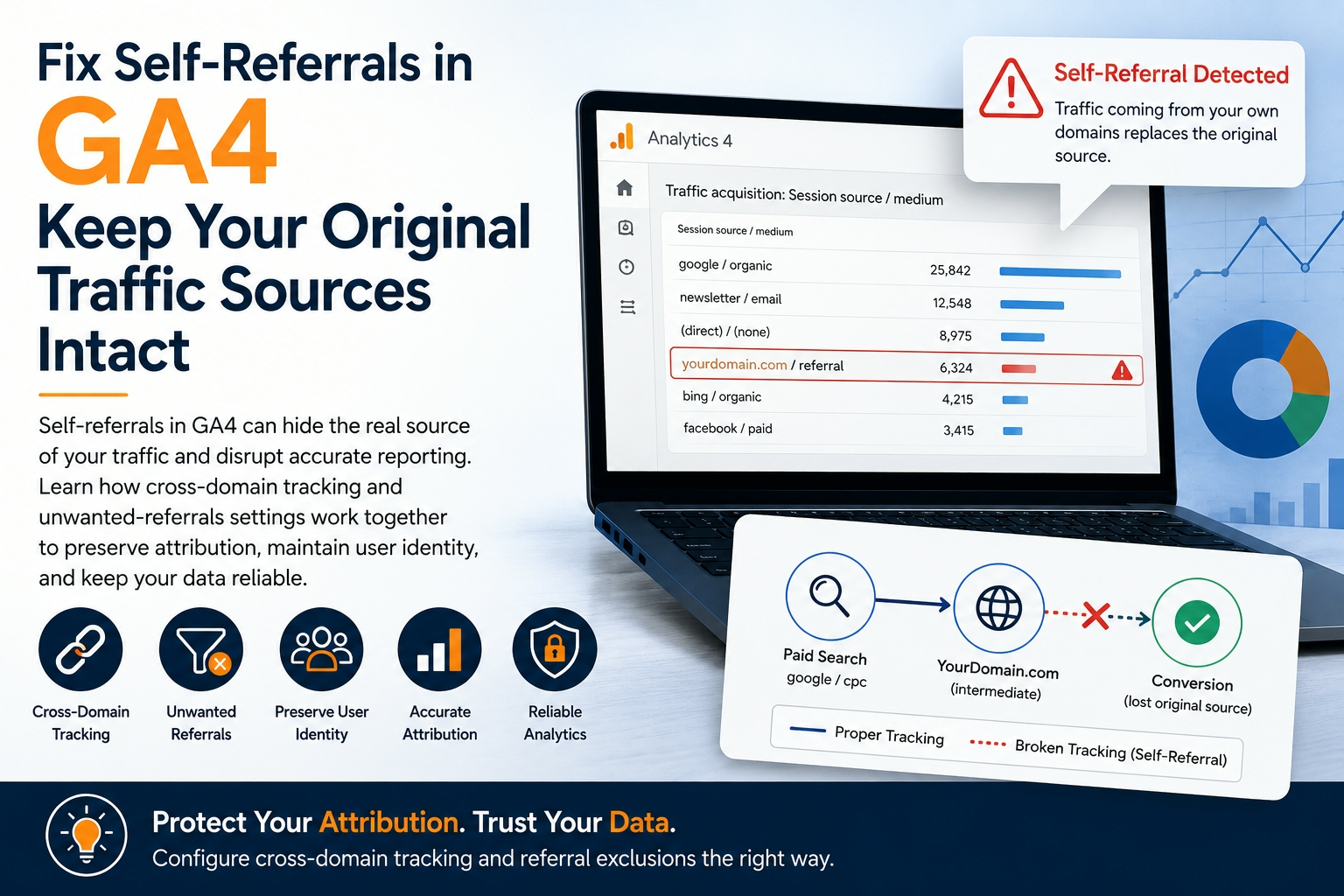
Traffic reports should tell you which search result, advert, email or partner sent a visitor to your site. When your own domain appears as a source instead, the report has lost part of the journey. Google Analytics 4 calls this a self-referral: referral traffic that originates from pages within your own domains, according to Google’s unwanted-referrals guidance.
The distortion can be larger than one untidy row in a report. Without working cross-domain measurement, the same person crossing two root domains can be identified as two users and two sessions. GA4 also uses a default inactivity timeout of 30 minutes for web sessions, as explained in its session documentation. A broken identifier, an undecorated link or a long untracked gap can therefore separate acquisition from the action that mattered.
That matters because a self-referral can take credit away from paid search, organic search, email or another genuine source. The campaign still did the work, but the dashboard tells a different story. Luckily, the fix is usually manageable once you separate two jobs: preserving identity across domains and preventing known intermediaries from becoming traffic sources.
How Self-Referrals Replace Original Traffic Sources
Think of the original traffic source as a label attached to a visitor’s session. The label might say google / organic, newsletter / email or the name of a paid campaign. If GA4 maintains the session, that source remains available while the visitor moves through the site. If tracking loses continuity and a new session begins, GA4 has to decide where the new arrival came from.
That decision is easy to misread because GA4 reports acquisition at several levels. First-user dimensions retain the source that initially acquired a person, while session dimensions describe what started each visit. Event-scoped source dimensions are used when GA4 attributes credit for key events. You can therefore see a sensible first-user source and a suspicious session referral for the same journey.
GA4 does not normally treat the current domain or its subdomains as a new referrer. A self-referral in Traffic acquisition is therefore a warning that something more fundamental has happened. Common causes include inconsistent tag IDs across domains, cookie or consent changes, a cross-domain linker that never reached the destination, or a return from an external service that was allowed to claim referral credit.
Missing tags need careful interpretation. An untagged page makes activity invisible, but a short visit to an untagged page on the same domain does not automatically create a new session. The more serious case is an untracked gap combined with session expiry, identifier loss or movement into a different cookie context. Duplicated tags are another implementation fault, but they usually duplicate events rather than create self-referrals. Do not treat every strange number as the same bug.
GA4 lets you add specific domains to the unwanted-referrals list. For matching referrals, events receive ignore_referrer=true, so that domain is not used as a traffic source. Google allows up to 50 unwanted-referral conditions per web data stream, which is ample for payment providers and other known intermediaries but not an excuse to ignore every referrer.
There is an important limit here. An unwanted-referral rule protects attribution, but it does not repair user identity or join two sessions that were split across domains. Cross-domain measurement handles continuity. Referral exclusion handles source classification. You often need both, but they solve different parts of the problem.
How Misconfigured Cross-Domain Tracking Creates False Referrals
Cross-domain tracking works like a passport check between two properties. The visitor must carry an identifier from one domain to the next, and the receiving page must accept it. In GA4, that handover normally happens through the _gl parameter added to links and forms between configured domains.
All participating pages should use the same Google tag ID from the same web data stream. GA4 can then decorate a link to the second domain, and the destination can associate the activity with the existing user and session. Google permits up to 100 cross-domain conditions, so the constraint is rarely the number of legitimate domains. The usual problem is that the handover fails somewhere along the route.
Redirects are a frequent culprit. A link may receive _gl, then pass through an HTTP-to-HTTPS redirect, a language selector, a URL shortener or a booking gateway that removes query parameters. The destination still loads, so nobody reports a broken page, but the analytics identifier has vanished.
Forms and JavaScript navigation create similar problems. A booking form may submit to another root domain without being decorated. A custom click handler may change window.location before the Google tag can process the click, while another script may stop event propagation. The visual journey feels continuous to the visitor even though the measurement journey has been cut in two.
Test the real path rather than assuming that an admin setting is enough. Open Tag Assistant or preview mode, begin on the genuine campaign landing page, and click every link or submit every form that crosses a domain boundary. Confirm that _gl appears on the outgoing destination, survives each redirect and is still present when the final page loads. Google’s DebugView guidance explains how to watch events from a test device in real time after debug mode is enabled.
The following checks help narrow the fault quickly:
| What you see | Likely explanation | First check |
|---|---|---|
| Your own root domain appears as a referral | Identifier, cookie or tag configuration changed | Compare tag IDs, consent state and cookie settings on both pages |
| A checkout or booking provider appears as a referral | The external service claimed the return visit | Test cross-domain support, then assess an unwanted-referral rule |
| A new session_start appears immediately after a domain jump | The linker was missing, stripped or unreadable | Follow _gl through links, forms and redirects |
| Events appear twice but the source is unchanged | Duplicate tags or containers are firing | Inspect page tags and container triggers separately |
| Paid or organic sessions fall while Referral rises | Sessions are being reassigned at a boundary | Review Session source / medium by landing page and date |
For third-party payment providers, full cross-domain measurement is not always possible or desirable. In that case, add the provider to unwanted referrals so it cannot take credit when the customer returns. However, do this after checking the genuine domain journey. A long exclusion list can hide symptoms while the split-user problem remains underneath.
How Self-Referrals Split Sessions and Conversion Paths
A broken conversion path is like a film with the middle reel missing. You can see the advert at the beginning and the purchase at the end, but the analytics system treats them as separate stories. That is how a campaign can appear to generate cost without revenue while a payment domain appears to generate revenue without cost.
Suppose someone clicks a paid-search advert, visits a product page and opens a checkout hosted on another domain. The checkout creates a new identifier because _gl was stripped. When the buyer returns to the receipt page, GA4 records activity under the second identity or session. The advert and the purchase may now sit in different rows, reports or users even though one person completed one journey.
GA4 automatically creates session_start, ga_session_id and ga_session_number for web activity. Its session-attribution guidance also explains that session dimensions use non-direct last click. This is why excluding a bad referral may leave later reports looking surprising: a direct return can retain the previous eligible source rather than becoming a new Direct session.
Changes are not a time machine. Adding a domain to unwanted referrals affects collection and attribution going forward; it does not rewrite every polluted historical row into the correct campaign. Old self-referrals may also continue to appear in some returning-user patterns because the earlier source remains part of that user’s attribution history. Record the repair date and compare clean periods with clean periods.
Use the right report for each stage of the diagnosis. DebugView tells you whether events and parameters arrived, but Google says it performs limited attribution analysis to remain responsive. The processed Acquisition reports are the better place to assess session source. For outcomes, Google recommends checking Realtime and DebugView first, then using Advertising reports to analyse key-event paths and credit.
A practical test should therefore produce two kinds of evidence. First, capture the technical route: tag IDs, consent state, client identifier continuity, session_start events and the _gl parameter at each boundary. Secondly, check the reporting result after processing: Session source / medium, Session default channel group, landing page and the key event attached to the test journey. One without the other leaves room for guesswork.
How Self-Referrals Distort Channel Performance
Channel reports are the management accounts of marketing. A self-referral posts revenue and sessions into the wrong ledger, so the total may still look plausible while the channel margins are nonsense. The danger is not that Referral looks odd. It is that a genuine channel looks weaker than it really is.
GA4 channels are rule-based classifications. Google defines Referral as traffic from non-ad links on other sites or apps, while session, first-user and event-scoped channel groups answer different questions. A broken checkout boundary can therefore inflate Session default channel group: Referral while the first-user channel still shows Paid Search or Organic Search.
That mismatch is useful evidence. Start with Traffic acquisition and add Session source / medium, Session default channel group and Landing page. Search the source column for your own hostnames, checkout services, booking engines, authentication domains and support portals. Segment by the date the suspicious source first appeared, then compare the change with site releases, tag-container versions, consent changes and redirect deployments.
Do not judge the fix by the disappearance of one hostname alone. Check whether the original channels regain sensible session and key-event patterns, whether user and session counts stabilise across the domain jump, and whether the same landing pages still start unexpected sessions. GA4 report totals and exported raw data can also use different counting methods, so compare like with like rather than demanding perfect agreement between every interface.
Controlled visits can be useful when you need a repeatable input. For example, you might generate traffic for your website through a clearly labelled test campaign and send it across the exact landing, booking and confirmation route you want to inspect. Keep those visits separate from normal performance analysis. VisitorBoost also publishes an open-source browser-based testing implementation, which confirms that the project and its stated technical approach exist, but it is not proof of customer demand, engagement quality or marketing results.
The final check is simple: can you follow one controlled visit from its campaign link to its key event without the source changing to your own domain or an intermediary? If not, inspect the first boundary where the identifier or tag state changes. Fix cross-domain continuity first, apply narrowly defined unwanted-referral rules where needed, and mark the repair date. Your traffic volume may not change at all, but your channel decisions will finally be based on the journey that actually happened.


